Friday, February 20, 2026
spot_img
autism products
Html code here! Replace this with any non empty raw html code and that's it.
Home Blog Page 75

How Inclusive Playgrounds Help All Children Learn and Play

0

What do children learn through play? Play helps children grow and learn — how they move, how their muscles work, their tactile senses, vision and hearing… all develop as they play. And physical learning contributes to cognitive development, as children hone their motor skills and spatial perception.

Swiss child psychologist Jean Piaget famously wrote, “Play is the work of childhood.” Children also learn from interactions with each other, as seen on playgrounds every day.

Playgrounds have evolved over the decades, becoming safer and more varied in design. But children with special needs were somewhat left out of traditional playground design. A movement began to ensure children of all abilities would be able to use playgrounds.

However, initial attempts often fell short. Accessibility, as defined by the 1990 Americans with Disabilities Act (ADA), simply meant being able to get to a playground. Children with physical disabilities, like those needing mobility devices, were unable to experience playgrounds using sand or wood chips for safety surfacing, while the needs of children with sensory processing disorders were often overlooked completely.

One in seven U.S. children live with a disability — about 6.5 million school-aged children — and 6.4 million have cognitive disabilities. According to a recent study by the CDC, one in 45 children has autism.

What do children with varying abilities need in a playground to help them play, learn and grow? The experts advising the playground designers at Landscape Structures Inc. re-imagine playgrounds to be not just inclusive, but inspiring and fun for kids of all abilities.
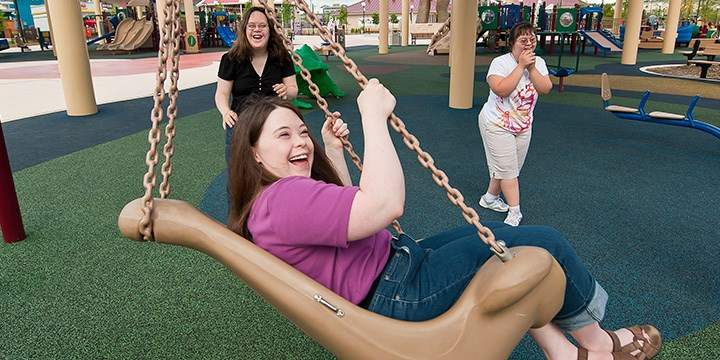
Inclusive playgrounds empower children of all abilities to learn and play.

Physical Environment

Inclusive playgrounds for children with disabilities need to be designed not just for accessibility, but inclusivity.

  • Unitary surfacing with one type of material, amenable to wheelchairs and other mobility devices, eliminates mobility barriers.
  • Borders or fencing can help define and contain the activity area, providing a sense of comfort to children and their caregivers.
  • Seating should be strategically located around the play area (preferably in shaded spaces) and must be usable for children and adults of differing abilities.
  • Pathways and ramps must be extra-wide and accessible, for more than one child in a wheelchair to pass each other comfortably.
  • On-deck transfer ability delivers equitable access and encourages interactive play among kids and adults of all abilities.

Stimulating Activities

Inclusive playgrounds provide activities to engage children on many levels, in terms of physical, cognitive, sensory and social development.

Play areas reinforcing cognitive concepts with games, mazes, maps, tracing panels and more can be included in playground structures.

Imaginary play, like using pretend houses, fire trucks or stores, allows children to experiment with rules and roles.

Inclusive playgrounds incorporate sensory zones.

Physical play structures invite children of differing abilities to take risks and challenge themselves, creating a sense of mastery and achievement. Thoughtfully designed areas are inclusive for all children. While not all children will be able to use all equipment, children can challenge themselves in ways that they can control and manage.

  • Cardiovascular activity: free space for children to move and increase their heart rates.
  • Balance and coordination: balance beams, rope bridges and more.
  • Vestibular sense: using input from the inner ear, this sense is responsible for equilibrium and movement, experienced while rotating, swinging and rocking.
  • Proprioception: this internal sense uses input from muscles and joints about body position, weight, pressure and movement to help develop muscle sense and coordination, affecting large motor skills and small motor activities such as handwriting. Climbing, hanging and overhead activities help children develop this sense, and can be experienced by children using their upper bodies to access equipment.
  • Tactile, visual and auditory stimulation: children benefit from calming sensory activities using manipulative media like sand or water, visual stimulation like artwork, plus musical elements to help kids tune in to their auditory sense.

Quiet Spaces

For children who need quiet time and limited social interaction, it is essential to include smaller, cozier spaces where children can experience calm.

Inclusive playgrounds are communal spaces for all.

Social Activities

Ideal playgrounds are designed for children to interact, with no child feeling excluded, and incorporate a variety of gathering spots within the playground structure — some that can accommodate several children, plus smaller, quiet spaces for just a few. These social spaces benefit everyone, including families and caregivers.

To see inclusive playgrounds and how children use them, visit playlsi.com/inclusive-play/.

[BPT]

Feature photo credit: Brandpoint | Three article photo credits: Landscape Structures
Create an Accessible Workspace with these Disability-Friendly Pieces

0

The Americans with Disabilities Act (ADA) was signed into law in 1990 to mandate civil rights for persons of all abilities. Prior to the signing, people with disabilities getting and performing equal employment just wasn’t the priority it is today. Buildings and public transportation weren’t accessible; and, workplace accommodations and assistive technologies weren’t valued or even considered. Thankfully, as a result of the ADA, almost all these things are common place; and federal resources ─ such as the Employer Assistance and Resource Network on Disability Inclusion (EARN), the Job Assistance Network (JAN) and the PEAT initiative ─  aim to make all aspects of employment accessible, from the application process to retirement.

One of the most practical improvements stemming from the ADA legislation, however, is the motivation to create office equipment and environments that enable employees with disabilities to perform their jobs to the fullest. Wise employers and human resource directors are better understanding the benefit of granting all employees the proper tools for success!

Accessible Workstations and Mounts

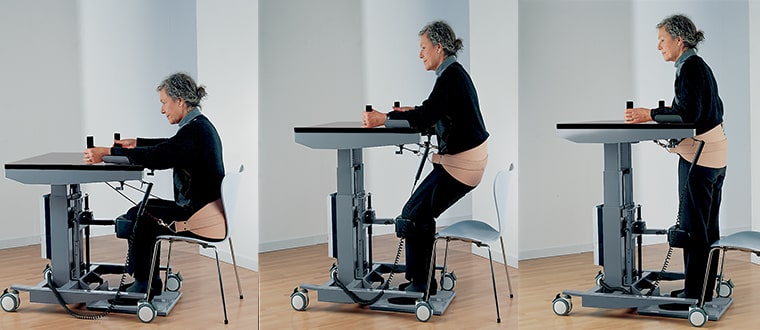
1. Get-Up Table

This portable, height adjustable table comes with everything a worker needs to sit and stand, from handlebars to arm rests for support and a hand control that lowers and raises the table as desired. An attachable sling is also available to function as a lifting system. Other accessories include back, knee and heel supports to accommodate a variety of needs for every user. $6,212.50 | Ropox.com

2. Vision Table

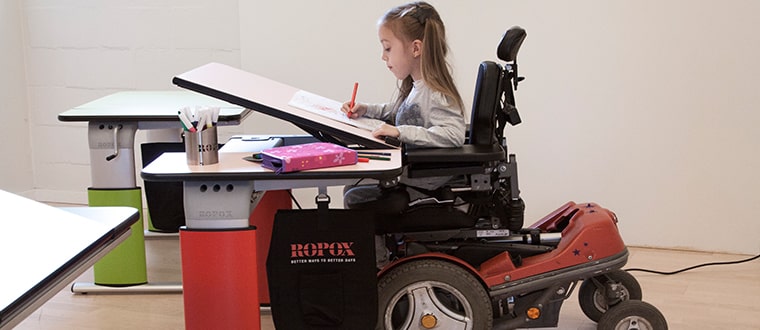
This table is made with wheelchair and visually-impaired users in mind. It has a unique tilting tabletop that can be moved up to 71 degrees—a wonderful solution for reading accommodations and other activities for school, work and enjoyment throughout the day. There are two versions: one that tilts with a hand control and another with the touch of a button that includes a safety stop. $1,785-$2,551.50 manual version; $3,188.50-$4,158 electric version | Ropox.com

The Vision Table may fit your accessibility needs.
Vision Table

3. Programmable Standing Desk

Unlike the previous two, this height adjustable table is especially for tech-minded employees. Along with its whiteboard surface, its height can be adjusted using an app on your phone. It comes in many colors and sizes, with sleek accessories available for displaying multiple monitors, holding computers and a power supply. $799 | ZeroGravityTables.com

4. Ergotron WorkFit-S Single LD Sit-Stand Workstation

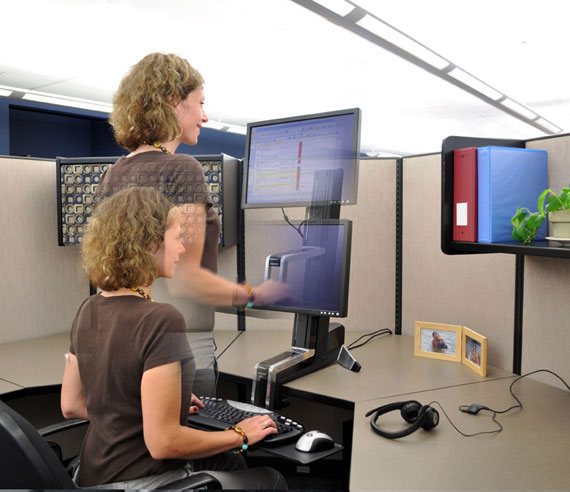
Instead of being a complete tabletop, this product can be attached to a table and enables your keyboard and monitor to move up and down simultaneously as you adjust the height with a gentle push or pull of the hand. Ideal for those who prefer to alternate sitting and standing throughout the work day. $685 | BoundlessAT.com

Accessible desk options promote inclusion.
Ergotron WorkFit-S Single LD Sit-Stand Workstation

5. Desk Mount Stand

Rather than keeping a monitor above your desk, this stand is for 17” laptops of many known brands. Along with the expected vertically moving arm, it also has additional dual-folding arms that move from side to side and tilts the laptop forward. $100 | BoundlessAT.com

6. Laptop Desk

This laptop stand is similar to the one described above, except for the fact that it can be attached to a couch, bed and exercise equipment as well. The site also has stands for tablets, projectors and vehicles, so it’s definitely worth alook. $149 | AirDesks.com

This laptop desk is an accessible option.
AirDesks

Other Workspace Accessories

7. Sihoo Ergonomics Office Chair

This office chair is not only stylish but follows the natural curve of the spine to prevent back problems that occur from sitting in standard chairs. It allows the user to adjust the headrest, lumbar pillow to ease stress on the lower back and even tilts back for some relaxation during a long stint of work. New $209 / Used $175 | Amazon

8. Flash Furniture Ergonomic Kneeling Chair

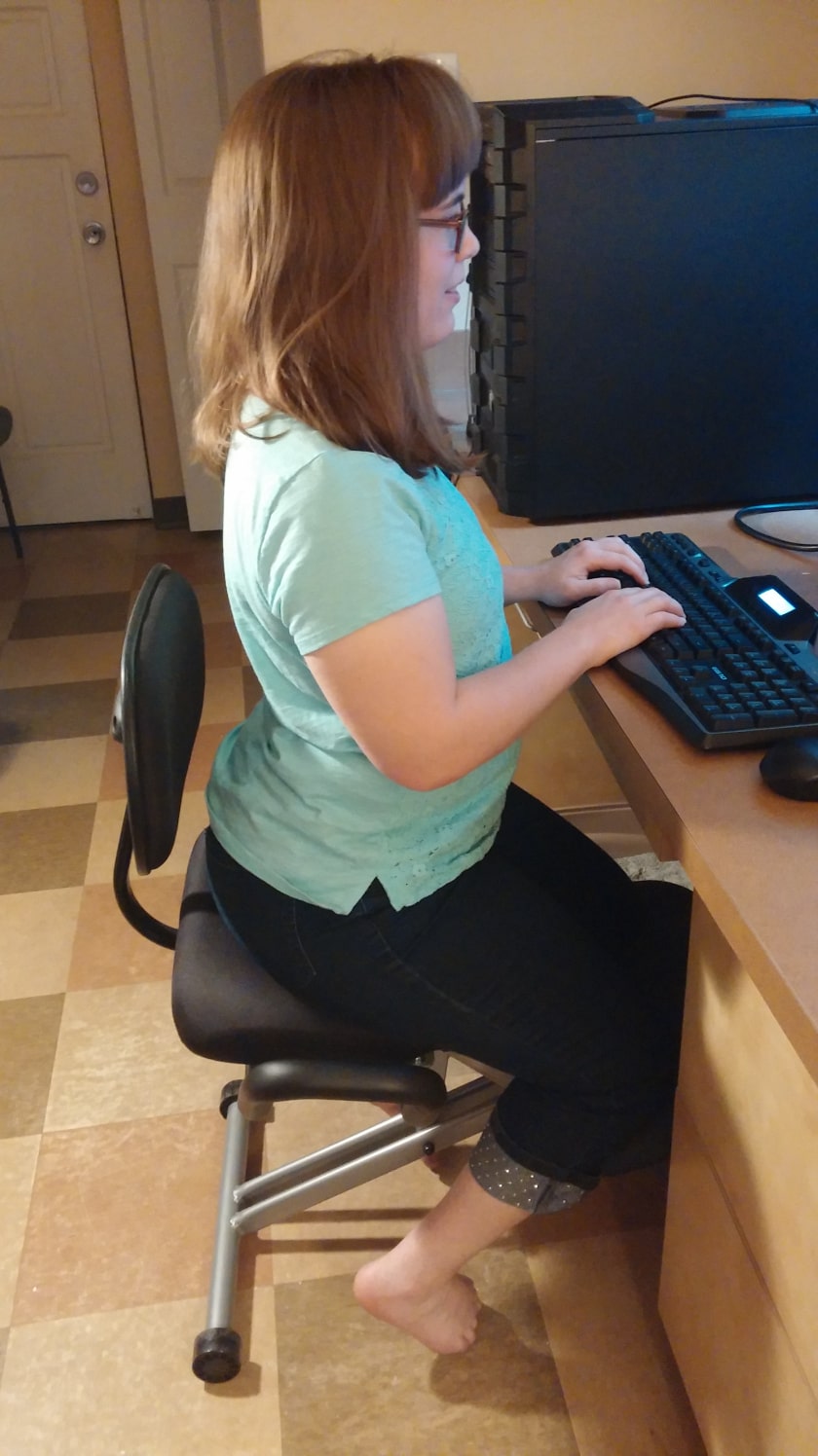
Do you find yourself too short for most office chairs? I know I sure do! I’m 4’11” and this one has done the trick for my needs. Its seat and kneepad are tilted to make your back curve forward into its proper position, with handlebars to adjust yourself on the seat. The backrest isn’t adjustable, but it works for my petite height and my knees no longer ache from the kneepads as they did initially. $109 | Amazon

Chair promotes better back positioning at workstation.
Flash Furniture Ergonomic Kneeling Chair

9. Penclic Mouse

This “pen mouse” replaces all the hand-sliding and flat clicks of a traditional mouse with three-to-five buttons that perform common clicking functions and a sensor that moves the cursor across the screen as you tilt the pen—all without using a tablet! Each model comes with a different set of buttons and scroll wheel positions for those who are right-handed, left-handed and ambidextrous. Bluetooth, USB and wireless options are available depending on which you choose. $65-$90 | BoundlessAT.com

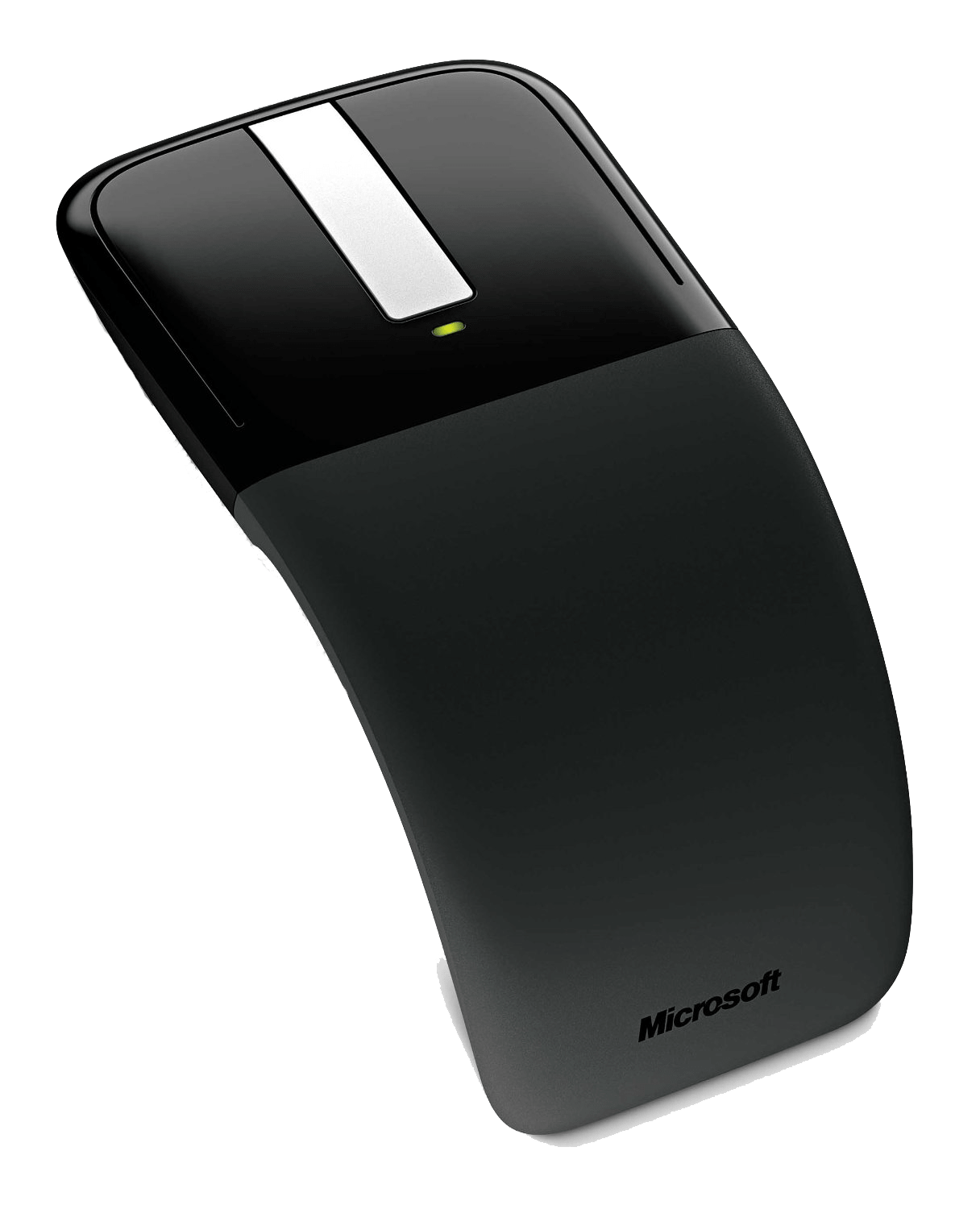
10. Arc Touch Mouse

This mouse rests your hand into a natural curved position, can be used up to 30 feet away from a computer and the magnetic strip built into it allows seamless page scrolling with the swipe of a finger. Turning it off is as simple as flattening the device. Its battery lasts an impressive six months per charge, and its magnetic transceiver can snap under the mouse once you’re ready to take it with you on your travels. $90 | BoundlessAT.com

Curved mouse can be an option for employees with disabilities.
Arc Touch Mouse

11. Suction Cup Mount

This basic suction cup mount holds your cell phone for you and keeps it secure on flat surfaces to grant hands-free use. Other models are also available for Kindles and tablets. $45-$211 | BoundlessAT.com

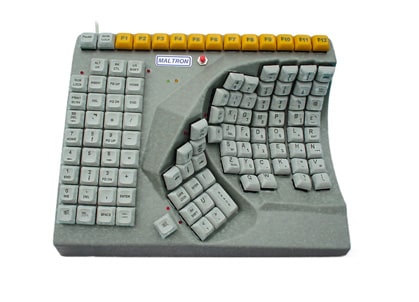
12. One Hand Keyboards

There are many types (see options in link) of keyboards for one-handed users, whether you have a disability or work at a job where you need to keep one hand off the keyboard to perform clerical and design work. Prices vary. | BoundlessAT.com

Adaptive equipment options are available for employees of all abilities.
One Hand Keyboard

13. Phones for Those with Disabilities

This source has many accessible phones (including smartphones) for those with hearing loss, low-vision or hand limitations. Prices vary. | FocusOnDisability.org.uk

14. Merlin Elite CCTV

Are regular screens too hard to read without magnification? The Merlin Elite not only provides up to 70 times magnification of the screen, but 28 viewing modes to find the perfect balance of contrast and brightness for every user. It even reads text aloud with Nuance® software. $3,495 | BoundlessAT.com

15. BIGtrack Trackball Switch Adapted 2.0

For foot users or those with limited motor control, this eye-popping mouse lets a user control the cursor more easily with its 3” trackball and two mouse-clicking buttons behind it. It also includes two plugs for switches and a connection port for a second mouse (regular or trackball version). Watch the inspiring video below to see how it empowered a user with ALS. $85 | InfoGrip.com

16. Pocketalker®2.0 Personal Amplifier
This slim device lets the hearing-impaired increase sound up to 63 dB with a plug-in microphone that picks up sounds in the direction users position it. The headphones can also balance sounds between both ears, and the device itself runs for 105 hours on two AAA batteries. $189 | BoundlessAT.com

Which devices have you used? Tell us on FacebookTwitter and Instagram

Editor’s note: AmeriDisability does not guarantee the prices listed in this article; please check retailers.

50 or Over? Why You May Want to Consider New Shingles Vaccine

0

Vaccines aren’t just for kids. As an adult, you may be familiar with the flu vaccine, but what about the shingles vaccine?

Imagine if the slightest breeze or the touch of a bed sheet caused excruciating pain on your head, shoulder or side. What if you also had a fever, chills or an upset stomach? Ouch! That’s what shingles, a painful, blistering rash, can be like for some people.

Nearly 1-out-of-every-3 people in the United States will develop the disease in their lifetime, according to the Centers for Disease Control and Prevention (CDC). The risk for people over 50 is especially high, and it goes up with increasing age.

The good news is there is a way to reduce your risk of shingles. The CDC now recommends that healthy adults 50 years and older receive Shingrix, a vaccine approved by the FDA in 2017.

Cause and Complications of Shingles

Shingles isn’t contagious in the way we think of the cold or flu. Instead, shingles erupts from the same virus that causes chickenpox, the varicella zoster virus (VZV). After a chickenpox infection ends, this virus becomes dormant or inactive within the body. Anyone who has had chickenpox can later get shingles if the virus reactivates. Scientists are unclear why this happens.

A bout of shingles typically occurs in a single stripe on one side of the body, often the torso and (less often) the face region, and generally lasts from two to four weeks. Around 10 to 13 percent of people who develop shingles continue to suffer for many years from the debilitating nerve pain of post-herpetic neuralgia (PHN), according to the CDC.

Other potential shingles complications include vision loss, hearing problems and even, in rare cases, blindness or death, the CDC said. The only way to reduce your risk of developing shingles and its aftereffects is to get vaccinated.

What’s Different Now?

The CDC describes Shingrix as the preferred shingles vaccine. Its protection has been shown to last longer than the older shingles vaccine. It also can be administered as early as age 50. The other shingles vaccine, an older version called Zostavax, may still be administered to healthy people 60 and older.

Shingrix is more than 90 percent effective at preventing shingles, and effectiveness stays above 85 percent for at least the first four years after you receive the vaccine, according to the CDC.

More about the Vaccine

* There is a high demand for Shingrix, so check with your pharmacy or doctor’s office to see if they have a supply. You may be placed on a waiting list.

* Shingrix comes in two doses, spaced two to six months apart.

* If you’ve already had shingles or received the Zostavax vaccination previously, you should still consider getting vaccinated to help prevent another bout of shingles and its complications, according to the U.S. Department of Health and Human Services.

* Check with your health insurance provider or Medicare about whether the cost of this new vaccine is covered under your plan. Whether it’s helping to schedule routine care appointments or checkups, companies like UnitedHealthcare can help you navigate the health care system to get the care you need as soon as you need it.

[BPT]

How to Make Budget-Friendly Frozen Dog Treats for Your Service Animal

by Kea Grace

Summertime is hot! Everyone loves a cool treat during this warm season… even animals. Frozen dog treats are always a hit with furry friends. You can use items you already have in the kitchen to whip up some homemade, budget-friendly goodies for your working or service dog.

You don’t need to be a culinary whiz to impress your pooch. Frozen dog treats are far more simple to make than most people would imagine. Commercial varieties often cost $3 or more per treat, which makes them unaffordable for many teams. But all you need are a few simple ingredients and an ice cube tray, and you’ll be on your way to a happy, refreshed dog.

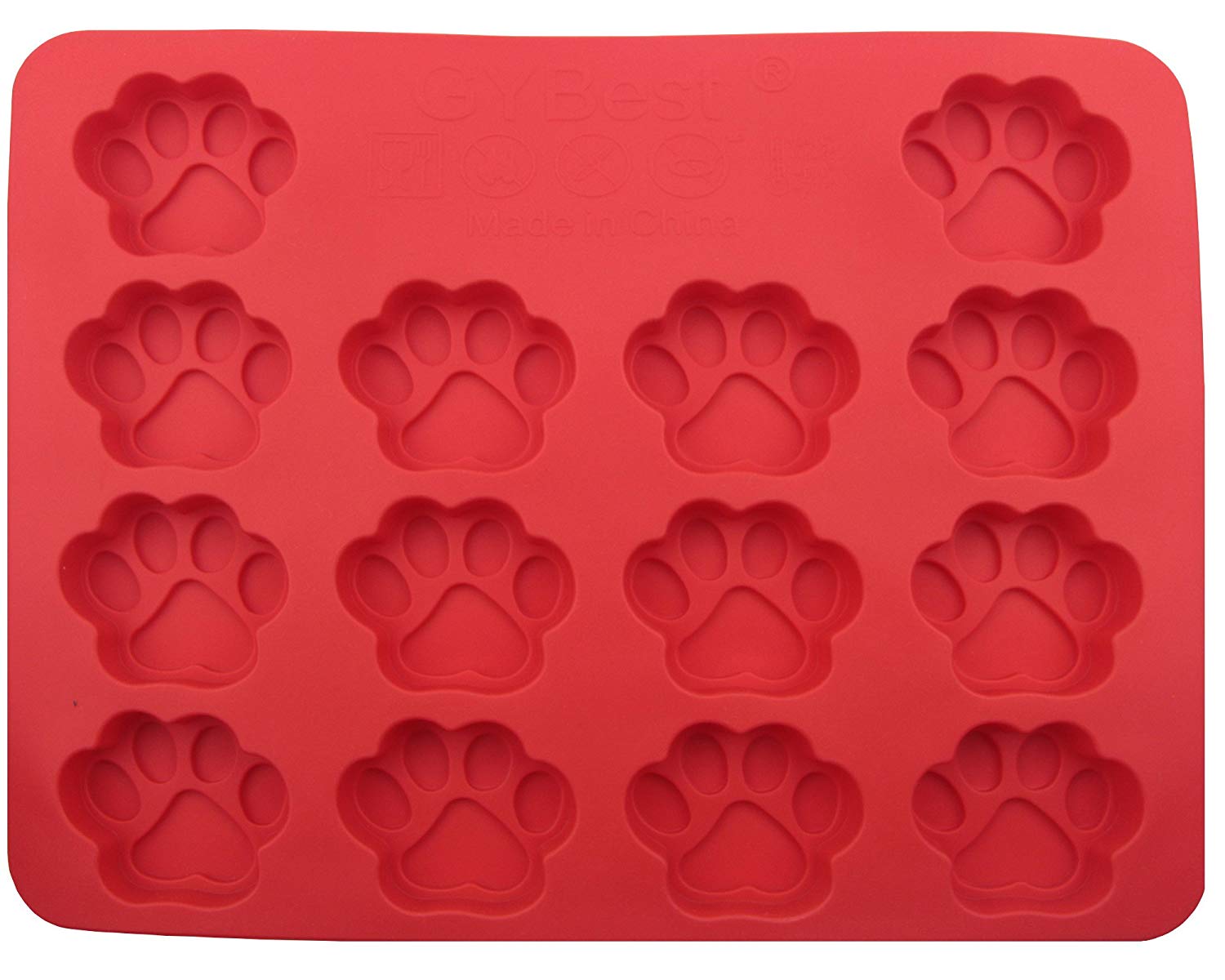
Silicone ice cube trays or baking molds work really well for frozen dog treats. They’re easy to find, inexpensive and simple to clean. Amazon, for example, sells a paw print mold for just $5.29 and a double pack of paw print and bone mold for $11.99.

Ingredients for Frozen Dog Treats

Frozen dog treats use a simple premise. Take a base that will freeze solid enough to handle with ease and then add accents like fruit, cheese, shredded meats, nuts, kibble, peanut butter, etc. — the pup-pleasing possibilities are endless! Use ingredients your working or service dog will like and add tidbits with some health benefits. Some ideas for the base include plain yogurt, pumpkin, wet dog food, applesauce, avocado and Parmesan cheese mixed into water to form a paste. You need something dog-friendly with high moisture content that’s soft when not frozen.

You can also blend bases. Yogurt mixes really well with pumpkin, peanut butter or both. Applesauce is great with pumpkin or mashed bananas and peanut butter. Don’t be afraid to get creative… your dog will love trying new treats! Texture will vary depending on your ingredients and how you mix them. If you blend everything in a blender, they’ll be much smoother than if you mix them with a spoon or swirl them. Just like their human partners, different dogs like different things, so go ahead and experiment.

treats for service dogs
Photo credit: Amazon

Accent ideas for frozen dog treats are endless. Berries, bananas, shredded carrot or sweet potato, chunks of meat or cheese, kibble, green beans and so on. The list is limited only by safety and things your dog likes. Any ingredients you add should be low-sodium, chemical or additive free, and free of artificial sweeteners of all kinds. Avoid grapes, raisins, onions and other unsafe foods.

Frozen Dog Treats Instructions

Once you’ve selected your ingredients, grab a mixing bowl and a spoon. Mix or blend your bases. Spoon enough of the mixture into the mold to cover the bottom of each section. Next, add your accent foods to the bowl. Stir thoroughly to evenly distribute them throughout the remaining mixture. Use your spoon to fill each mold section to the top, making sure to smooth the treats across and scrape excess mixture away from the edges.

Finally, consider any additional add-ins. Does your dog take a daily pill? Put the pill in the center of the treat. How about powdered joint supplements, like Nature Farmacy’s PhytoFlex? Stir a day’s worth or half a day’s worth into each section with a toothpick. As long as your add-in isn’t bitter, your dog probably won’t even notice it’s there.

Freeze your treats until solid, which is about 4 hours for most bases. Pop them out of the mold once they’re ready, and label a baggie with “DOGS” and any medicinal ingredients in the mix. Even if there isn’t medicine in the treats, label the baggie with “DOGS” to avoid confusion. Place all the treats in the baggie and store in the freezer. Share one or two a day with your pet, depending on size.

Originally published by Anything Pawsable; reprinted with permission. Feature photo credit: Anything Pawsable.

Apple Unveils Disability-Themed Emojis to Dial Into Diversity

To celebrate World Emoji Day (7/17/19), Apple is previewing a selection of new emoji coming this fall, revealing the newest designs that bring even more diversity to the keyboard, alongside fun and exciting additions to popular categories of food, animals, activities and smiley faces.

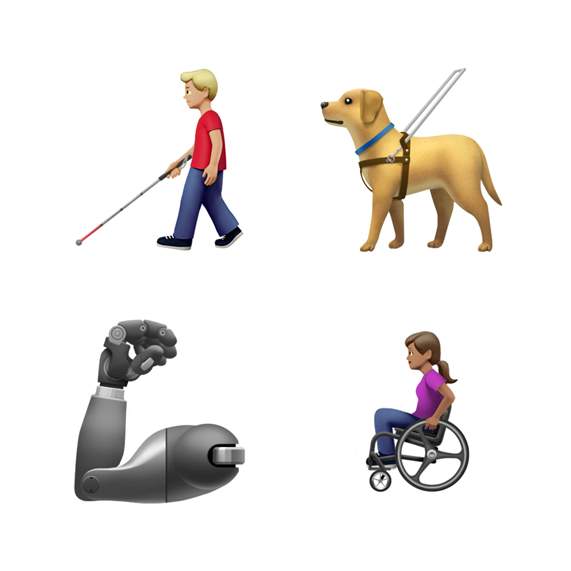
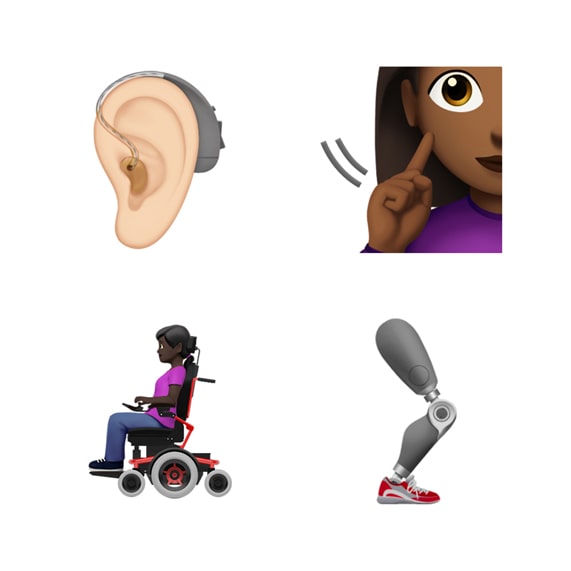
Following Apple’s proposal to the Unicode Consortium last year to introduce more disability-themed emoji, a new guide dog, an ear with a hearing aid, wheelchairs, a prosthetic arm and a prosthetic leg will be available in the emoji keyboard. According to a company press release, “celebrating diversity in all its many forms is integral to Apple’s values and these new options help fill a significant gap in the emoji keyboard.”

In a major update to the Holding Hands emoji typically used to represent couples and relationships, users will now be able to select any combination of skin tone, in addition to gender, to personalize the people holding hands, opening up more than 75 possible combinations.

Disability-themed emoji.

Many additional emoji categories are getting exciting updates with a new smiley face for yawning, a one-piece swimsuit, new food items including a waffle, falafel, butter and garlic, and new animals like the sloth, flamingo, orangutan and skunk.

Fifty-nine new emoji designs will be available this fall with a free software update for iPhone, iPad, Mac and Apple Watch. Thousands of emoji are currently available, including emotive smiley faces, gender-neutral characters, more professions, various clothing options, food types, animals, mythical creatures and more. New emoji are created based on the approved characters in Unicode 12.0.

What Is Golfer’s Elbow and How Can You Conquer It

0

As you follow through on a golf swing, your grip tightens and your wrist curves, engaging the muscles of your wrist and forearm. As you swing again and again, you strain the same parts of your arm and elbow.

Over time, the inside of your elbow may start to throb. The pain may be coming from the tendon that attaches your wrist muscles to your arm bone at the elbow. This condition is called golfer’s elbow, though the injury isn’t limited to the sport. Any repetitive action that uses the wrists, like turning a screwdriver or pitching a ball, can cause it.

George M. White, MD, a private practice orthopedist at the AdventHealth Orthopedic Institute and medical director of the Hand to Shoulder Center, said golfer’s elbow is typically caused by repeated activity that involves turning the wrist and flexing the elbow. “You see it in rowers, golfers and certainly you see it in tennis players who put a lot of spin on the ball,” Dr. White says.

No matter what causes their pain, a person with golfer’s elbow generally wants two things: (1) an end to the pain and (2) the ability to return to their hobby, sport or job.

In most cases, a combination of icing to reduce swelling and rest to allow the tendon to heal are enough to reduce pain. In the longer term, forearm strengthening exercises can prevent it from returning. In rare cases, when these options don’t work, injections and surgery can remove damaged tissue and allow the tendon to heal. “Less than 10 percent of patients with this problem require surgery,” Dr. White says.

Do You Have Golfer’s Elbow?

The first thing to consider is where you’re hurting. If the pain is coming from the inner curve, the inside part of the elbow, it could be golfer’s elbow. If it’s coming from the other side of your elbow, near the point, it could be a related condition, sometimes called tennis elbow.

The pain of golfer’s elbow might radiate from the elbow along the inside of your forearm and may feel worse with certain movements. Other symptoms may include a weak grip, stiffness, numbness or tenderness (pain when it’s touched).

Prevent and/or treat golfer's elbow.
Photo credit: AdvenHealth

What Can Help?

Dr. White says there are several lines of attack to treat the pain of golfer’s elbow.

The first is rest, and in many cases a couple of weeks avoiding the repetitive activity that caused the pain will relieve it. If rest alone doesn’t work, a gentle ice massage or prescription anti-inflammatories could. Next, a technique called iontophoresis can be used. It relies on an electrical charge to drive anti-inflammatory medicine into the tendon.

If these measures haven’t helped, medication can be injected into the elbow. New advanced treatments like growth factor therapy and stem cell treatments aim to stimulate the body’s own restorative powers. However, when all of these don’t work, surgery may be needed. It involves repairing the tendon to remove some of the painful tension.

Prescription: Prevention

After the pain goes away — or, ideally, before it even starts — golfers, weight lifters and others can take steps to prevent the pain altogether. Dr. White says there are three general ways to prevent the pain of golfer’s elbow: (1) build forearm strength through targeted exercise, (2) ice down after activity to reduce swelling, (3) and take an over-the-counter pain reliever on active days.

Hand grippers can build wrist strength, as can holding a light weight and rotating your wrist back and forth. Start slow and build up from there, Dr. White says, or you’ll risk causing the problem you’re trying to prevent.

Many athletes and hobbyists can give their elbow tendon a break by changing their form. Weight lifters can keep their elbows closer to their body and rowers can change their grip. Unfortunately, turning the wrist on the downswing of a golf stroke is an integral part of the game, so it’s harder to modify that activity. Instead, some golfers take an over-the-counter medication on the days they play, Dr. White says.

Originally published by AdventHealth; reprinted with permission.

Feature photo credit: Regal Home Health

Innovative Electronic Glasses Help the Visually-Impaired See Clearly

0

Age-related macular degeneration, the leading source of vision loss, caused Gary Foster to become legally blind in his 50s.

Nearly 4.2 million Americans age 40 and older are visually impaired, according to the American Academy of Ophthalmology, as a result of macular degeneration, diabetic retinopathy, glaucoma, cataracts and other conditions.

“I had been told repeatedly by my retina specialists that there was nothing that could be done for me,” Foster says. So he began advocating for himself and others impacted by vision loss by exploring technology options and assistive devices. While attending a conference with his wife and sister, Foster stumbled upon eSight, electronic eyewear intended to help individuals with legal blindness and/or low vision see clearly. Foster admits he was skeptical. “I just didn’t expect it to work,” he says. To his pleasant surprise, he tried on eSight and saw his wife’s sweet face for the first time in years. It was an emotional, life-changing moment.

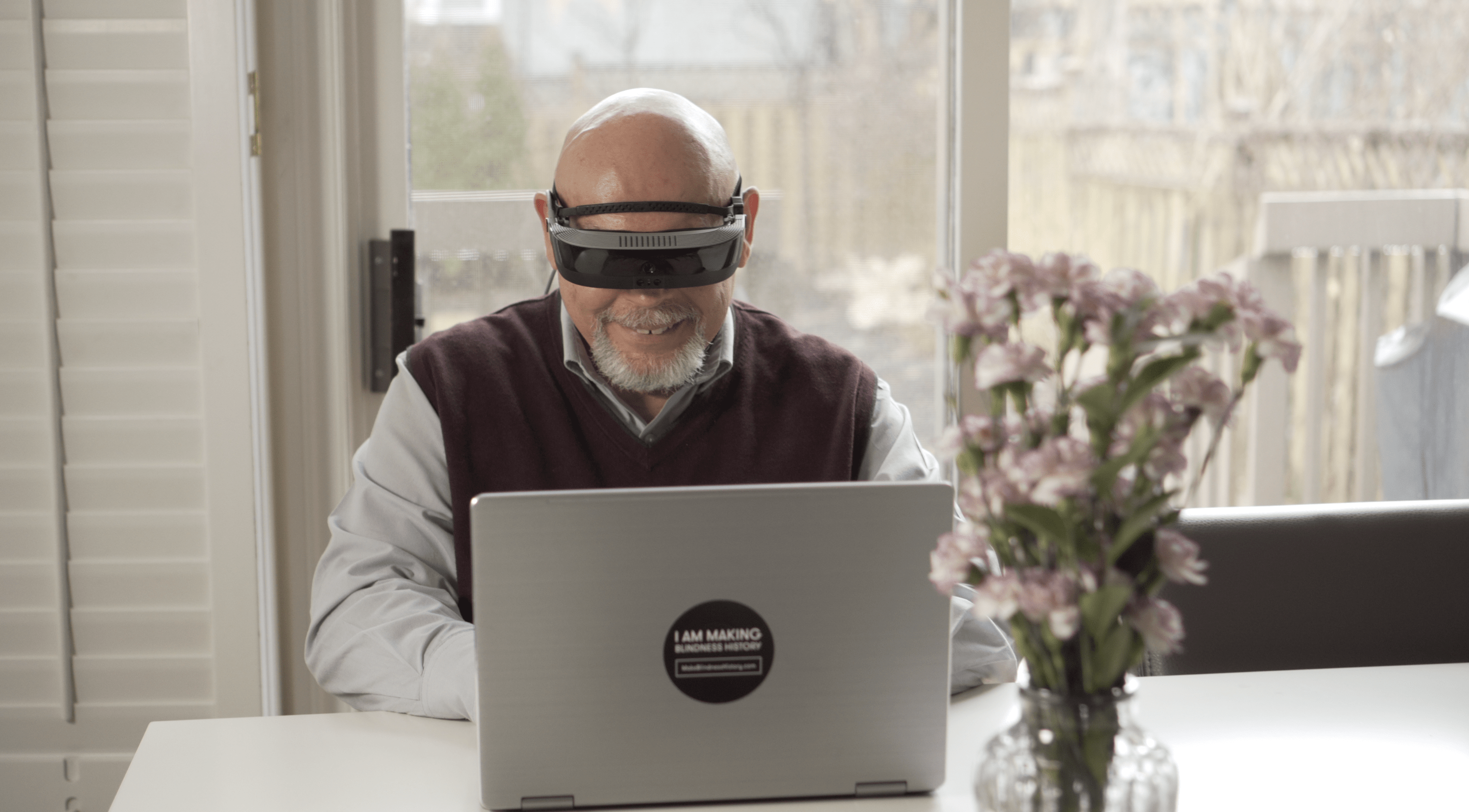
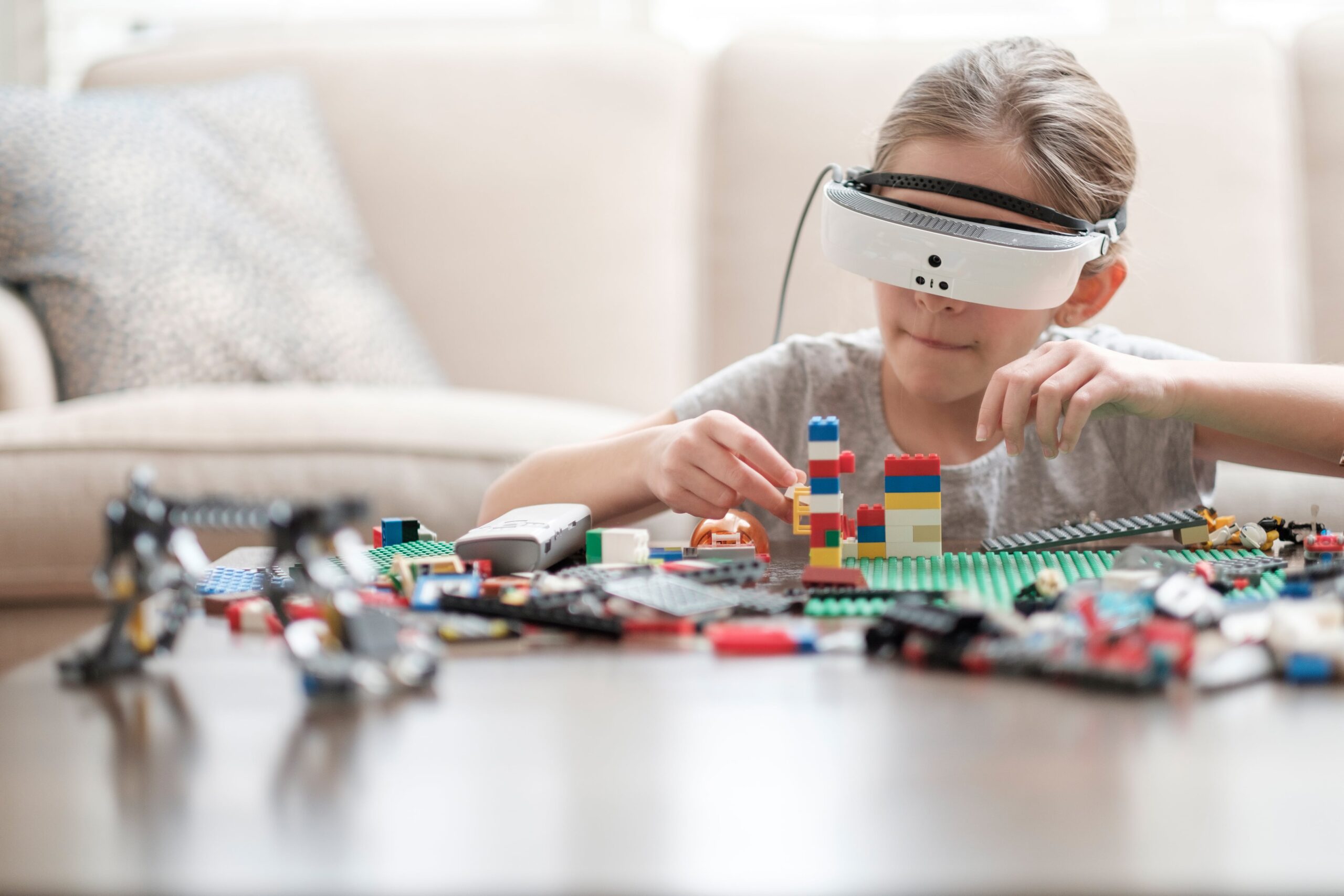
Electronic glasses help visually impaired.
Gary Foster uses eSight at home and in the workplace.

The Need for Electronic Eyewear

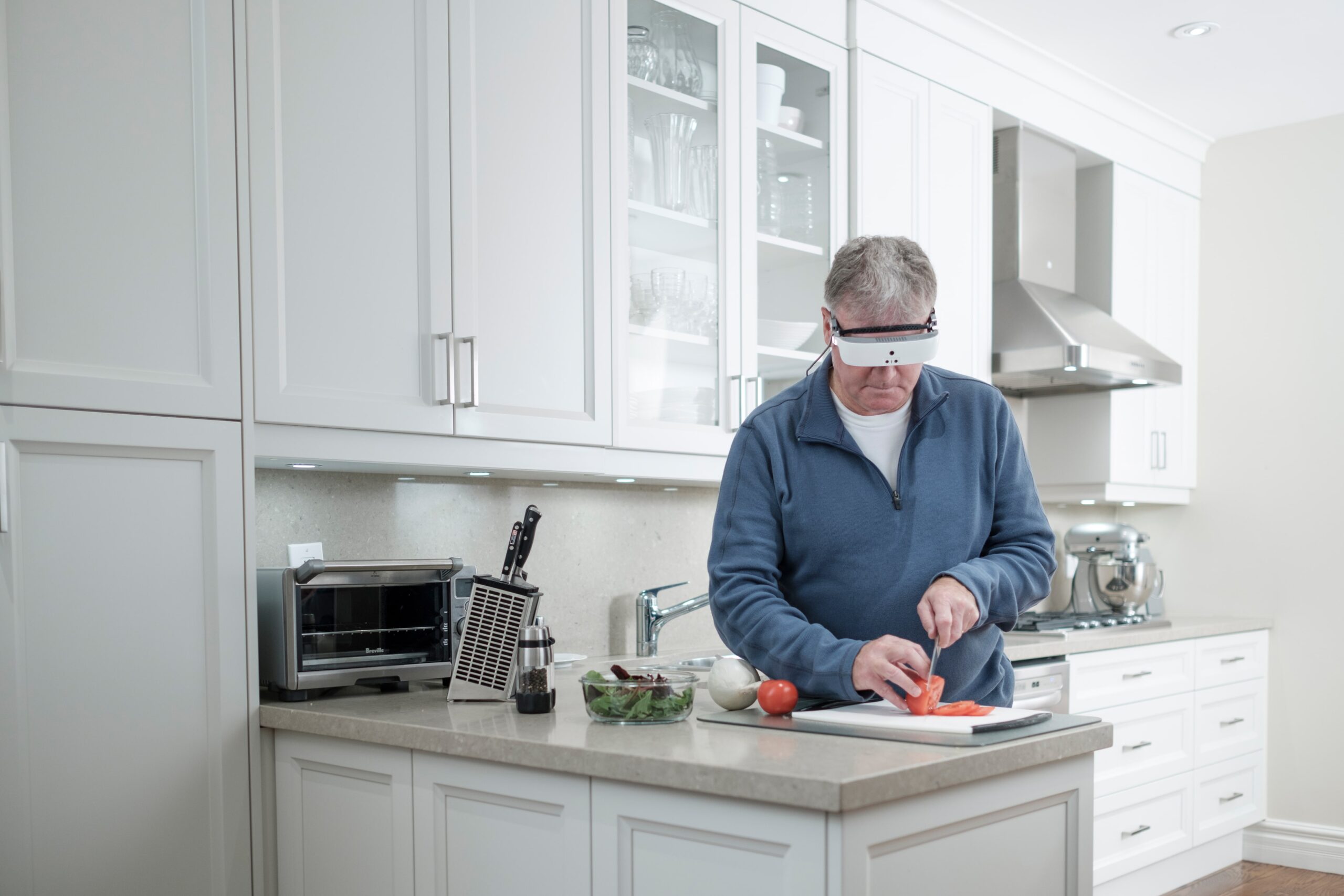
eSight was invented in 2006 by Conrad Lewis, a Canadian electrical engineer who pledged to restore sight for his two legally blind sisters. In the United States, legally blind means a person sees 20/200 or worse in the better eye or 20 or less degrees of visual field, according to Dr. Cathy Borgeson, an optometrist at Macali Eye Clinic (not affiliated with eSight). “The official definition of low vision is when a person is correctable to 20/70 or worse in the better seeing eye or has a significant visual field defect (large blind spot or loss of the peripheral vision). It means that the person has lost a significant amount of vision that cannot be corrected with conventional glasses, contacts, surgery or medication,” Borgeson says. She adds, “Low vision inhibits the ability to do normal daily activities (cooking, driving, etc.).” People who are legally blind have a greater degree of visual impairment than those with low vision.

Following nearly a decade of research and funding, the first eSight product launched in 2013, followed by the improved eSight 2 in 2015 and the most current generation, eSight 3, in 2017. That same year, Time magazine recognized eSight on its list of “The Best Tech of 2017 So Far.”

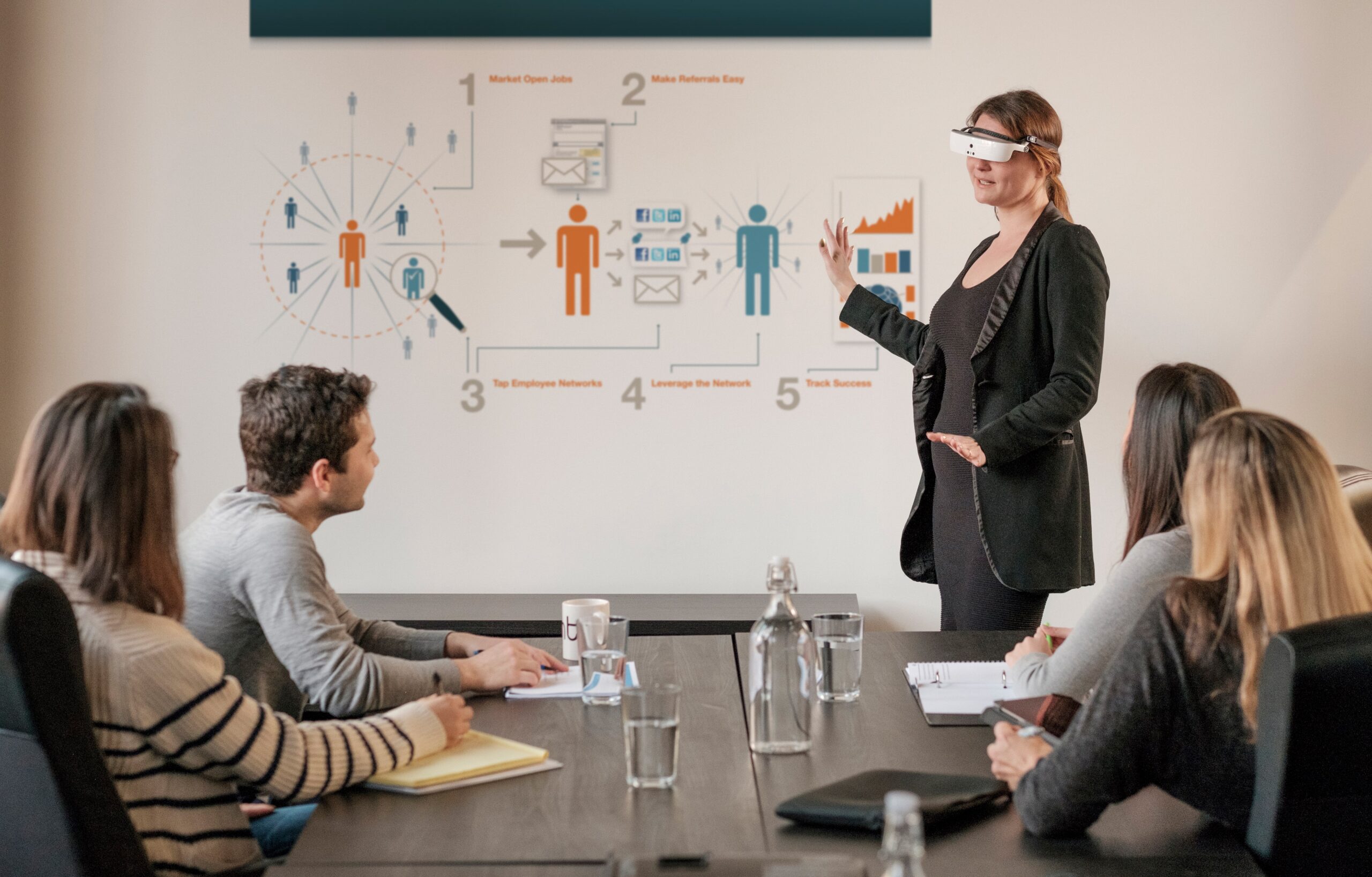
eSight glasses can help restore independence.

How Does eSight Work?

eSight is a lightweight, head-mounted assistive device that looks more like a visor than traditional eyewear. Charles Lim, eSight’s Chief Technology Officer, shared with AmeriDisability why the product is impressing both consumers and medical professionals. “The high-speed, high-definition camera captures everything the wearer is looking at. Advanced algorithms optimize and enhance the footage, then present that footage on two, near-to-eye screens in virtually real time and in stunning clarity,” he describes. “eSight’s remote allows visually impaired wearers to control everything from zoom to contrast, focus, even taking photos and streaming content directly to their eSight,” Lim explains. Plus, eSight’s ability to tilt up and down allows the wearer to always have access to their native peripheral vision and, so, this enables true mobility.

A New Outlook

eSight can be worn for as long as needed, either for a specific task or a longer duration. Foster, now 65, typically wears his eSight for a full work day. “I work on a laptop and pretty much wear them all day, with the exception of lunchtime,” he says. In his personal life, he doesn’t wear them as consistently, but always keeps the eyewear nearby just in case.

Because eSight grants Foster 20/20 vision, he was able to resume his beloved hobby of woodworking. His poor vision made the craft unsafe, but now he is able to confidently maneuver his tools again as eSight provides “24 times magnification.” Not to mention that media entertainment has become much more enjoyable. “I can connect to any electronic equipment that has a HDMI port, like my television or iPhone.”

As for that laptop? Well it just so happens to be stationed at the Toronto headquarters of eSight. After Foster bought his first eSight in 2015, he became a passionate volunteer promoting the technology to the visually impaired community. Soon thereafter, he asked for – and landed – a job! “I am the manager of the team that trains clients how to use the eSight. When you buy an eSight, you are assigned a coach and all of those coaches wear an eSight,” he says. It was a leap of faith as Foster had been on disability since he lost his previous employment. Because of his vision loss, Foster lost his license and, consequently, his job where he was expected to drive. “I felt like this was an opportunity to do good and to also be gainfully employed again. That mattered a lot to me,” he says of the decision to relocate from Calgary to Toronto. His wife, Tammy, is equally as passionate about eSight and also works at the company.

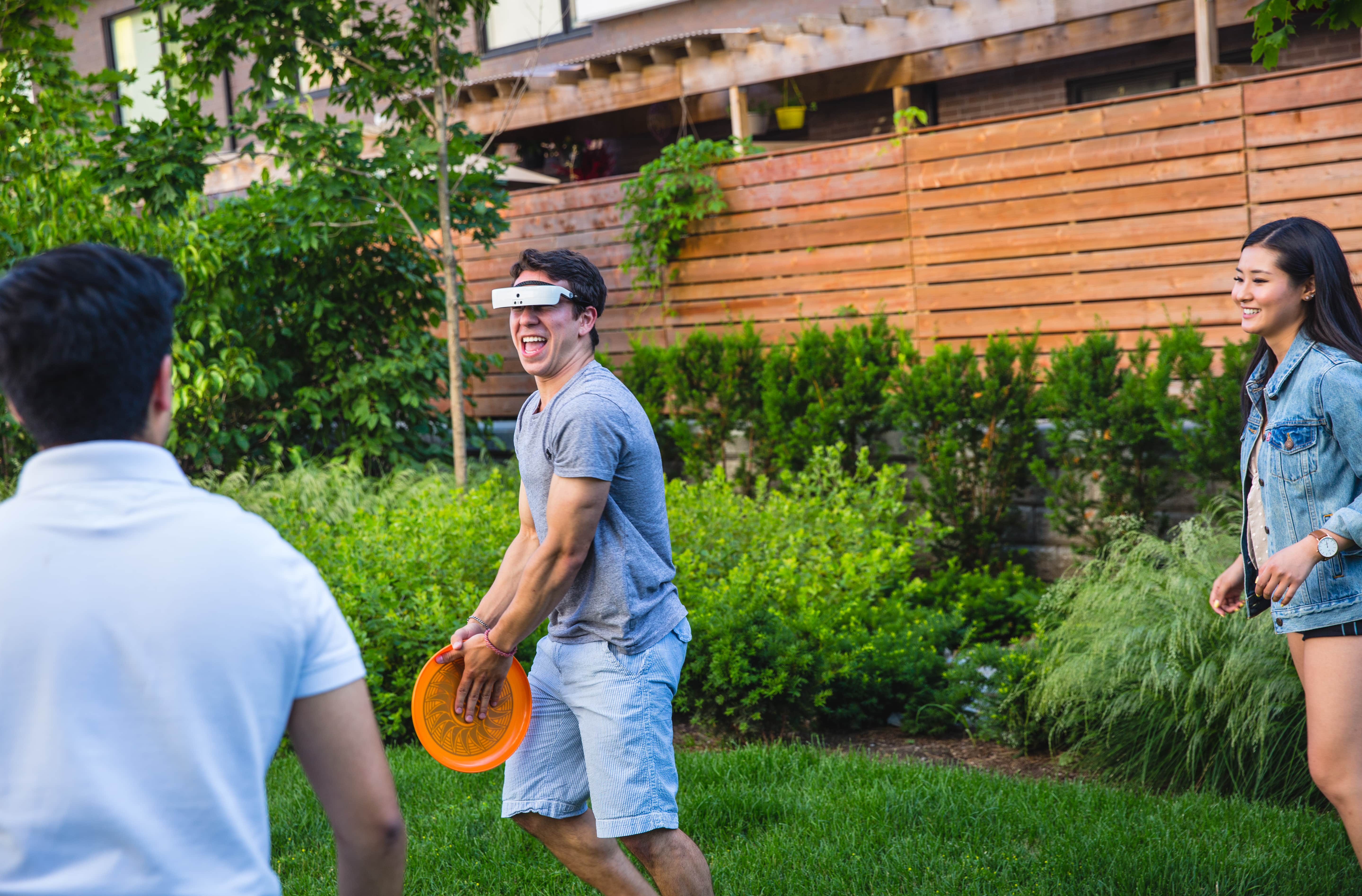
eSight can help users of all ages impacted by low vision or legal blindness.

The Cost of Vision

Foster says that even though eSight is considered a class one medical device, his health insurance wouldn’t cover it. So, he added the [then] $15,000 cost to his home equity loan. In just a few years since then, however, Foster says, “The price has come down to $5,950, I believe. And the new product is better and lighter!” And the price includes all software upgrades at no additional cost for life.

45-year-old Brian Hunt is legally blind and also tried to get his eSight covered by insurance to no avail. His professional experience working in life insurance in Michigan didn’t give him a leg up on navigating health insurance hurdles. He was told that adaptive equipment for the blind is not medically necessary. It’s an insurance loop hole that Hunt and many others are disappointed by. Hunt has familial exudative vitreoretinopathy (FEVR), a genetic condition where the retinal blood vessels do not develop normally. Unfortunately, he doesn’t expect that health insurance companies will change their policies unless congress forces the issue. That’s why he encourages people with visual impairments to speak out. “Write you congressmen to explain the situation and extreme cost. Most of the time, congress has no clue [about specific health needs] or why it costs so much.” But the high-priced device has proven to be extremely valuable for Hunt. “I use eSight mostly in meetings,” he says, to view screens and presentations.

On a case-by-case basis, some eSight users, according to Foster, have been able to get the product covered after winning appeals with insurance providers. “I think it’s simply just too new,” he says regarding the lag in coverage approvals. Nonetheless, thousands of customers have paid out-of-pocket to be able to watch movies, read books and street signs, excel in the workplace and see the faces of loved ones perfectly clear.

eSight glasses help users achieve desired tasks and activities.

Clarity on Next Steps

eSight 3 works best for those who have at least some remaining functional vision, according to Lim. “Since the device works by maximizing the functional sight that a person has, people who have no functional vision for eSight to enhance are less likely to experience satisfactory outcomes,” he says. Potential users are encouraged to try an “eSight Experience,” before moving forward with a purchase. This is essentially a 30-minute trial session to test the product and ask questions of an eSight expert. To connect with eSight, complete an online form or call 1-855-837-4448.

eSight is sold in 45 countries, but they do have competitors. Other companies have recognized the need for electronic eyewear, such as NuEyes, Aira, AceSight and IrisVision. Still, Foster has his favorite, “eSight is the only electronic eyewear that has been clinically validated.” He hopes that eye care professionals will continue to inform patients of tools that help users regain independence. “I do everything I did before [my vision loss], expect drive a car,” he says. Dr. Borgeson said she would be open to doing just that, proclaiming: “The eSight glasses certainly have potential to help people with visual impairment function better. Since they are a more advanced visual tool, I would refer my visually impaired patients to see a low vision specialist and allow the specialist to recommend devices.”

Disclaimer: This article is not intended as medical device. AmeriDisability does not guarantee the prices listed in this article; please check retailer.

All photos courtesy of eSight.

Online K-12 Course Trains Schools About Food Allergies and Anaphylaxis

0

With increasing prevalence of food allergies among children, the need for evidence-based and simple yet comprehensive training for schools on caring for students with food allergies is critical. Food Allergy Research & Education (FARE) is addressing this need with an online course to help school personnel learn how to create a safer and more inclusive environment for students with food allergies.

Aligned with the recommended best practices found in the “Voluntary Guidelines for Managing Food Allergies in Schools and Early Care and Education Programs” previously released by the Centers for Disease Control and Prevention (CDC), FARE’s “Keeping Students Safe and Included” provides a much-needed training program that is easily accessible online for free and will improve understanding of the severity of food allergies among school staff who take the course.

Statistic about food allergies in children

“The CDC’s guidelines call for strong leadership in schools and partnerships among staff, families and medical providers to ensure that students with food allergies are protected and included. Unfortunately, we routinely hear from parents who have experienced a number of challenges with managing their child’s food allergy while at school,” said Carlea Bauman, vice president of Education and Community Initiatives at FARE. “Our new training course will provide educators with a foundation on the topic of food allergy, but importantly, it will also demonstrate how schools can implement a food allergy management plan that addresses safety and inclusion.”

With the training course, FARE has created a resource that gives school personnel and parent volunteers choices about how this presentation can be delivered. Schools can opt to watch a narrated training video, or volunteers/school staff can deliver the presentation using slides, a presenter guide and presentation tips. The course concludes with a 10-question Knowledge Check, and participants may print out a certificate of completion if they pass the quiz.

In updating this training for K-12 audiences, FARE has worked to increase the interactivity of the course and to restructure the content to allow learners to focus on information about food allergies that is most applicable to them. To access the course, please visit foodallergy.org/k12

Food allergy facts

What Parents Need to Know about Learning Disabilities and ADHD

0

Approximately 10% of American school-age children suffer from a learning disability (LD) and/or attention deficit hyperactivity disorder (ADHD), according to a report by the Centers for Disease Control. It’s estimated that 4% of children have both. But, for many children, these disorders go undetected despite ongoing struggles with school work and behavior issues that often accompany LDs and ADHD.

One thing parents and kids should realize is that those with LDs are often average or above average in intelligence. In fact, it isn’t uncommon for a child with a learning disability to excel in one subject, while struggling in another. Or perhaps a child does well under certain conditions while having great difficulty in other situations.Though depending on the LD and severity of it, a child might struggle in all areas.

Forms of Learning Disabilities

There are several forms of LDs. Some pose input problems, which means a child struggles with either sound or visual input. Information isn’t processed correctly or gets stored incorrectly in the brain. This can pose problems with retrieval as well as short or long-term memory.

An LD can also cause output problems.This can sometimes be seen in motor skills such as handwriting difficulties. Another common problem is verbal output. This is usually evident in that the child has trouble organizing thoughts either in writing or orally. Punctuation, grammar and spelling also often suffer.

students with learning disabilities can get additional support
photo credit: Education International

Dyscalculia is a math learning disability. With this disorder, children have may have difficulty learning to tell time, counting money or counting in general, learning math facts, calculating, understanding measurement or performing mental math.

Dyslexia is a reading disability, though the symptoms are not exclusive to reading. Children with this disorder may have difficulty with spelling, vocabulary or comprehension. They may read slow, have trouble learning left from right, or have organizational problems both with written and spoken language.

Dysgraphia is a writing disability. Poor handwriting and often an awkward style of holding a pencil or even contorting the body while writing are hallmarks. A child may also have trouble drawing lines. With dysgraphia, children can often better express their understanding of material through speech than in writing.

Auditory Processing Disorder (APD) is a problem with input. It isn’t a problem with hearing but rather the brain has difficulty processing sounds. As a result, kids with APD may be distracted by loud noise or have difficulty following conversations. It tends to be especially problematic when there’s a lot of background noise which makes it difficult to distinguish sounds.

Visual Processing Disorders (VPD) are also a problem with input. Similarly, they aren’t a vision problem. Rather, VPD is a problem with the brain processing what the eyes see. It can result in a child bumping into things or not being able to distinguish the shapes they see. It can also pose difficulty in identifying letters or numbers or result in problems with visual sequencing among other symptoms.

Nonverbal Learning Disorder (NLD) is similar to Asperger Syndrome and shows up as difficulties with social skills. Academic problems are sometimes present as well but often don’t show up until kids reach higher grade levels. Those with NLD may be afraid of new situations, struggle to make friends, lack commonsense and experience social withdrawal. Academic problems can include reading comprehension and working out math story problems.

ADHD is marked by attention problems and/or hyperactivity and impulsivity. Girls often have only attention issues while boys are more commonly impulsive or hyperactive. Symptoms can include difficulty staying on task or paying attention yet often hyperfocusing on stimulating activity. Children with ADHD may fidget or have trouble staying seated, interrupt and act without thinking.

The symptoms listed above for each of the LDs aren’t exhaustive. To learn more about symptoms, visit Learning Disabilities Association of America.

some students have learning disabilities and ADHD
photo credit: EducationNews.org

What to do if you suspect your child has an LD or ADHD

The first step is to talk with your child’s teacher, and find out what the teacher has observed. Then talk to the school principal and request an evaluation. Public schools are required by law to provide an evaluation. This should include an IQ test, assessments of math, reading and writing, and testing processing skills. If your child is in a private school and the private school doesn’t offer this service, you can request it through your public school district.

Once your child has received a diagnosis, your school psychologist should be able to recommend and help you set up services or accommodations for your child. Depending on the specific learning disability, your child may qualify for special education services under the federal Individuals with Disabilities Education Act (IDEA) or accommodations through Section 504 of the Rehabilitation Act.

Bear in mind, you are your child’s best advocate. So read books and articles on your child’s LD and learn how you and your school can help. Talk to your child’s teacher about additional ways the he/she can assist your child. Most teachers are eager to help, though depending on student ratio and school resources, it’s sometimes challenging for educators to do as much as they’d like because they likely have other children with special needs in the classroom as well. If you feel your child isn’t getting the help he/she needs, talk to the school administrator.

Feature image credit: Rowan University

You’re Invited to Celebrate ADA 29th Anniversary of the Americans with Disabilities Act

0

July 26, 2019 marks the 29th Anniversary of the Americans with Disabilities Act (ADA) signed by President George H.W. Bush on July 26, 1990.

The ADA and the ADA Amendments Act of 2008 (ADAAA) give civil rights protections to individuals with disabilities similar to those provided to individuals on the basis of race, color, sex, national origin, age and religion. The ADA and ADAAA also assure equal opportunity for individuals with disabilities for access to businesses, employment, transportation, state and local government programs and services, and telecommunications.

ADA Anniversary Event

In celebration of the 29th anniversary of this historic civil rights legislation, an ADA Audio Webinar Series hosted by the Great Lakes ADA Center will feature “ADA Anniversary Update: 29 Years Burning Down the Road” on Tuesday, July 16, 2019 from 2:00 p.m. to 3:30 p.m. ET. The webinar is free but registration is required; continuing education recognition is available — learn more and register for this July 16 webinar [www.accessibilityonline.org/ADA-Audio/].

“Nearly 57 million people in our country have a disability and nearly 25% of today’s 20 year olds will experience disability in their lifetime. Since 1991, the 10 regional ADA Centers in the ADA National Network have provided free, confidential and accurate information, resources and training on the ADA to businesses, employers, state and local governments, people with disabilities and their families, advocates and veterans across the United States,” said Barry Whaley, Director of the Southeast ADA Center.

Through the outreach, training and technical assistance the ADA National Network has done to promote voluntary compliance with the ADA, people with disabilities have better access to businesses, buildings, employment, state and local government programs and services, and increasing opportunities for equal and full participation in civic and community life.

The ADA National Network is the “go to” resource for free, confidential information, guidance and training on the ADA and its implementation — call toll-free 1-800-949-4232 or visit the website at adata.org — Callers using the toll-free 800 number are connected to the regional ADA Center serving their state.

ADA Anniversary Resources

You can access the ADA Celebrations Tool Kit offered by the ADA National Network and its ten regional ADA Centers across the United States.

Also, become a part of the nationwide celebration and recommit to the ADA. Sign the ADA Pledge for Individuals!